Follow along step by step
You put the quarter's plan on the Jira Timeline, a customer asks to see it, and there is nothing you can send. The question has sat on Atlassian's own community for years.
In 2020 someone working with the then-new roadmap wrote that they would "really like to be able to share it in my org, and with our customers, without needing them to have access to our Jira account" (Atlassian Community, 2020).
In 2023 someone else asked for "some way to share a View of Advanced Roadmap to external stakeholders that do not have a user registered on Jira" (Atlassian Community, 2023).
The answers are short and they agree. "Unfortunately, you need the license to access the roadmap directly," a community champion replied on the 2023 thread.
The same year, on a thread asking whether a client could get view-only access free of charge, the answer was blunter: "Jira Software, as a product, does not have the concept of a 'free guest' user" (Atlassian Community, 2023).
So this post does the one thing that works on a free Jira Cloud site in a team-managed space with no Marketplace apps, and then walks to the end of every other route so you can see where each one stops.
What each route actually gives the customer
| Route | What the customer gets | Cannot do |
|---|---|---|
| Export as PNG | A picture of today's Timeline | Update itself, or be filtered by the reader |
| Share, then Copy link | A URL to the Timeline | Open without a Jira licence |
| Guest access | A free seat in one space | Exist on the Free plan |
| Public space | A space anyone can browse | Be switched on from a Free site |
| Confluence embed | The board inside a page | Render for a reader with no Jira access |
| Published Product Discovery view | A live read-only roadmap link | Come from a Jira Software space, or from a free plan |
How to set it up
Ten minutes. The space is team-managed and the site is on the free plan, which is the case this post is about. Jira's newer interface says Space, Space settings and Work items where older sites say Project, Project settings and Issues; the clicks are the same.
1. Open the Timeline and set the range
In the space navigation click Timeline, then choose Quarters at the bottom right so the whole roadmap fits on one screen.
Only what is visible ends up in the export, so set the range before you export, not after.
2. Export the Timeline as an image
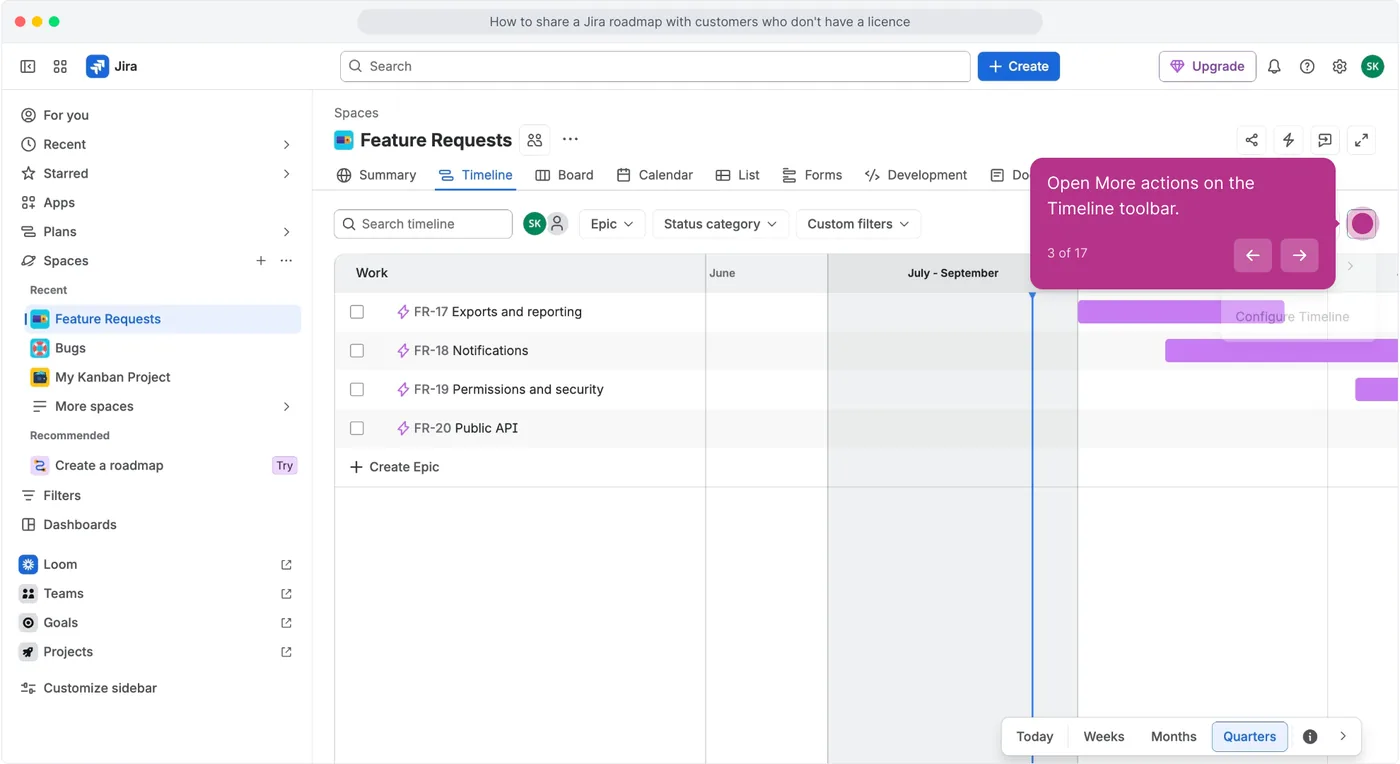
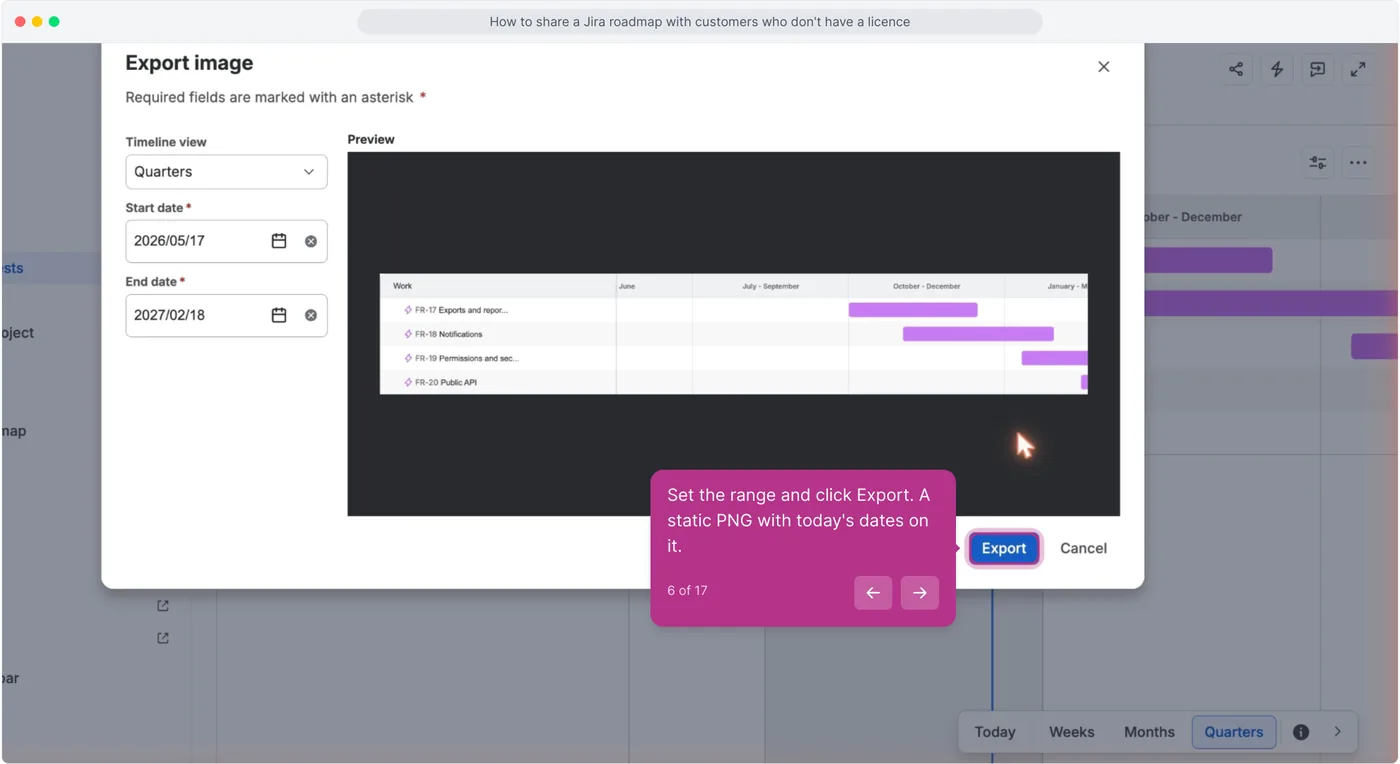
Open More actions (the three dots on the Timeline toolbar), choose Export, then Image (.png). Set Timeline view, Start date and End date, and click Export.
Atlassian's own page for this is called "Share a screenshot of your timeline", and it is honest about what you are getting: "Share your timeline with offline users, use it in a presentation, or print as a poster for your team's wall by exporting it as an image (PNG format)" (Atlassian Support).
The image downloads through your browser.
3. Try the share dialog
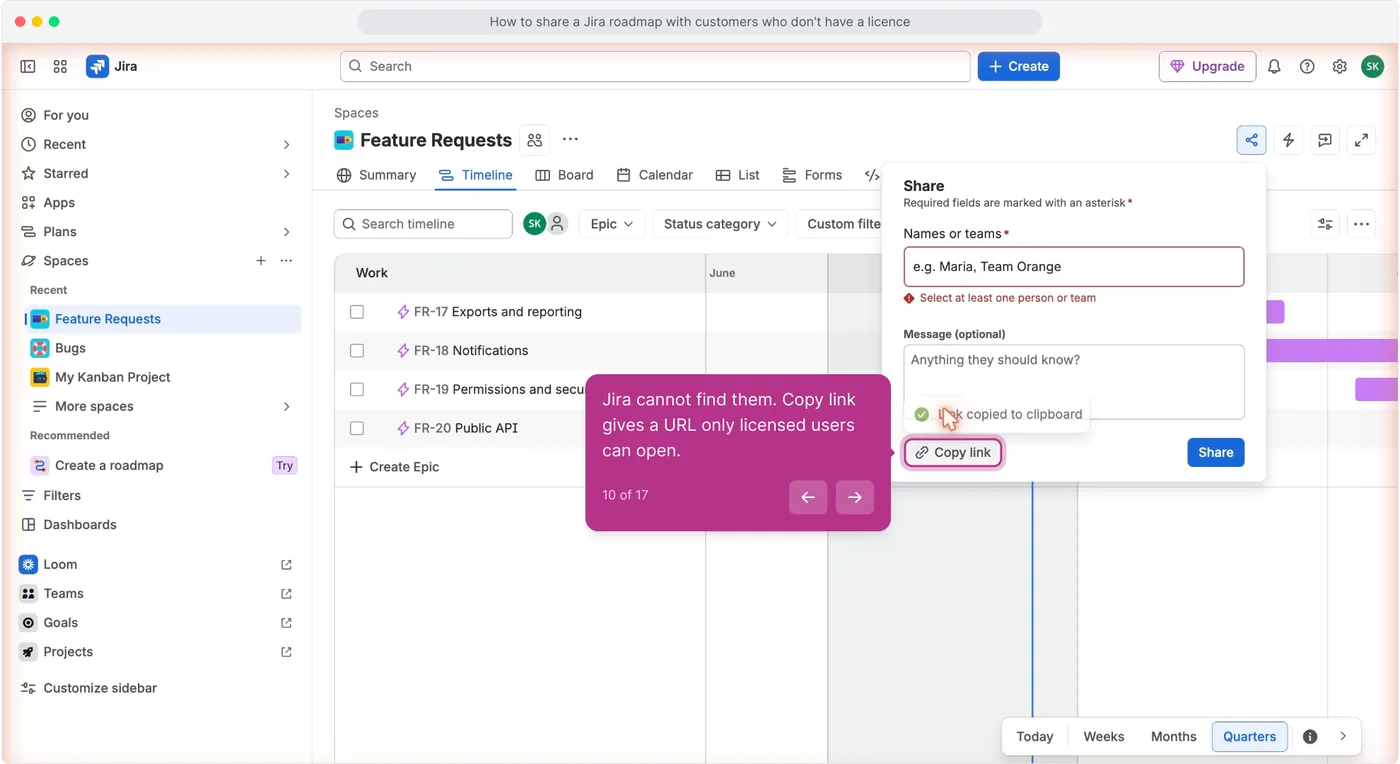
Click Share in the space header and type a customer's email address into the Names or teams field.
Jira refuses it with "Select at least one person or team": the field only matches people and teams already on your site, so a customer address never resolves to anyone. Copy link gives you a URL, and that URL opens the Atlassian log-in screen for anyone without an account.
A 2020 thread put it in one line: "Viewers will need to have Jira accounts, so you can permission them to see the appropriate Roadmap(s)" (Atlassian Community, 2020).
4. Check who can be added
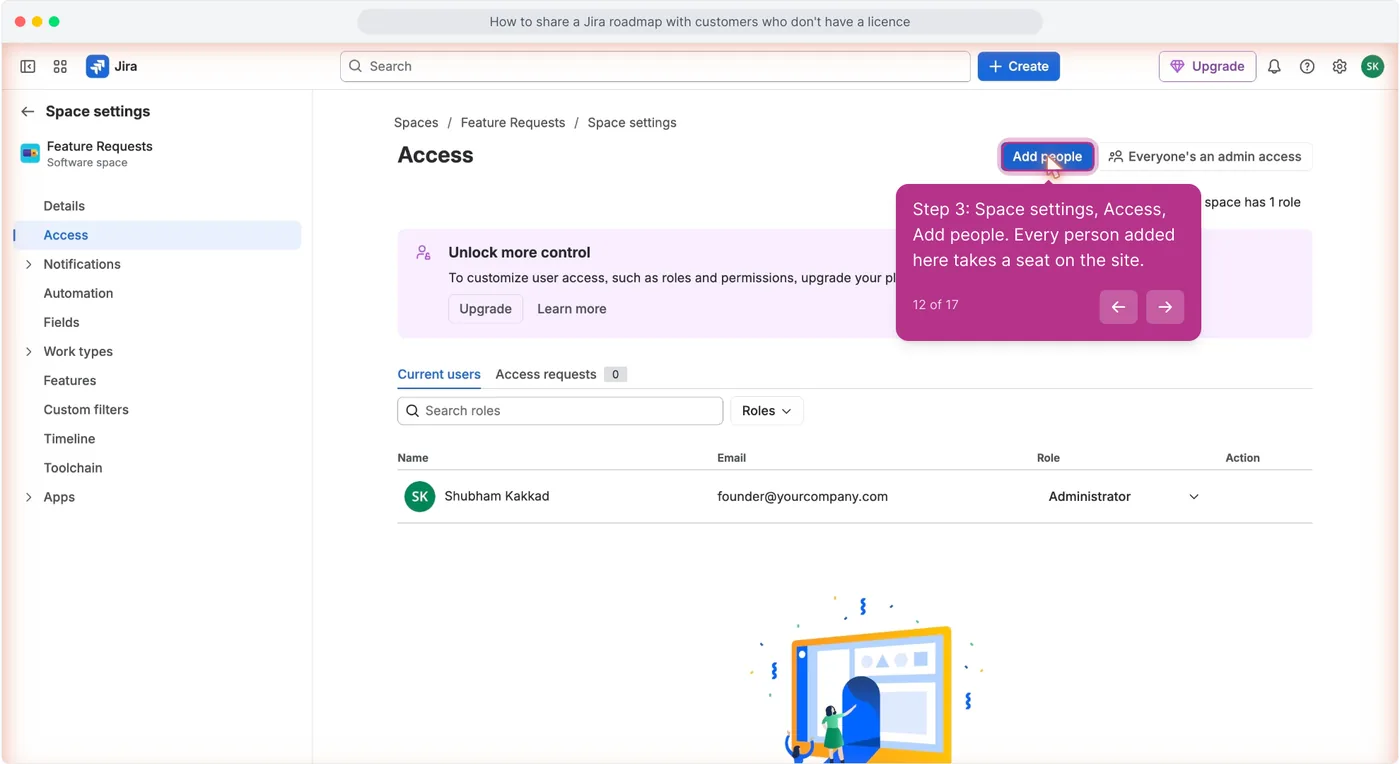
Open Space settings, then Access, and click Add people.
The list is licensed users. Add people takes any email address, and every address you add becomes a licensed user with a role, which is a seat on your site, not a customer view.
On a paid plan you could invite guests here, five free per paid user, but guest access is Standard and above (Atlassian Support).
5. Export the list instead of the picture
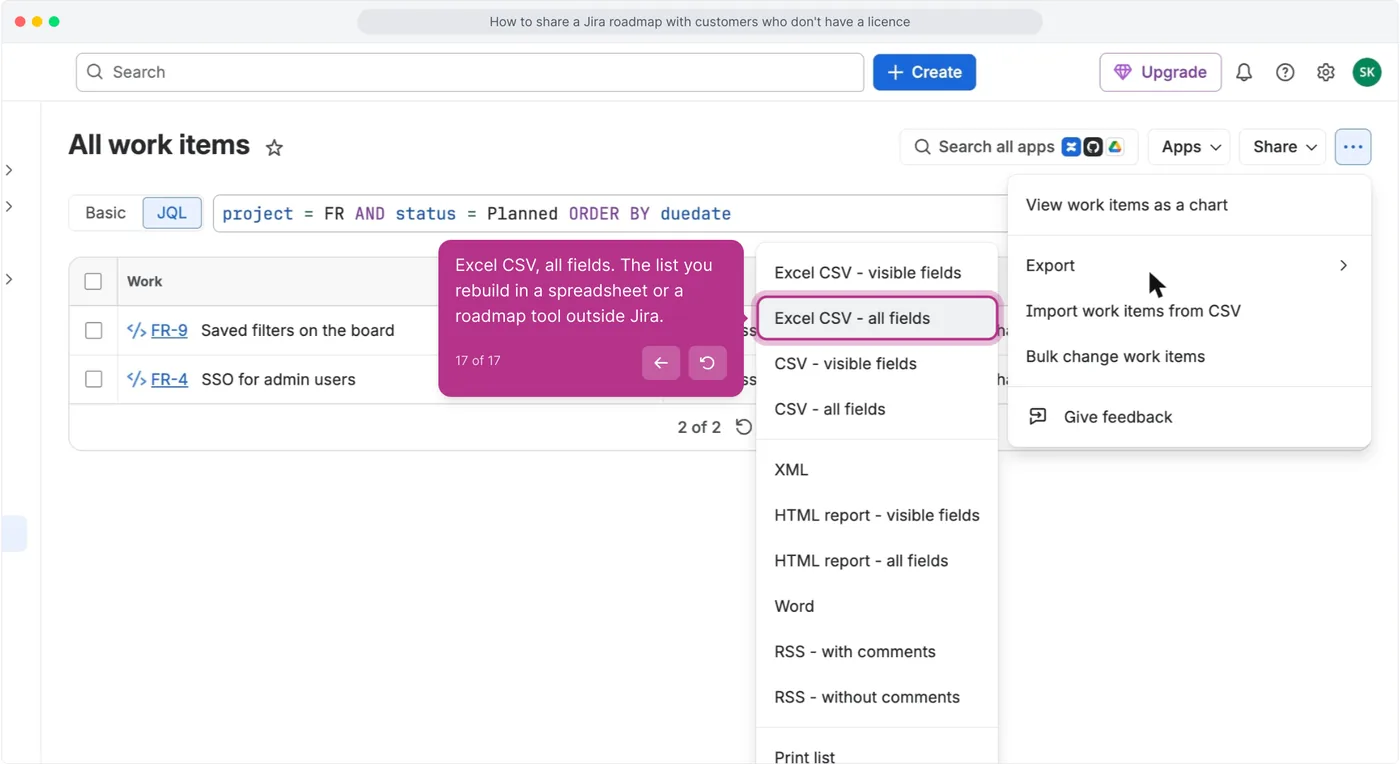
Open Filters, then All work items, switch to JQL, run project = FR AND status = Planned ORDER BY duedate, then open More actions, choose Export, then Excel CSV - all fields.
This is the other honest route, and the 2023 answer named it: export to CSV and "leverage spreadsheet application functionality to reconstruct the timeline visual". You are rebuilding the roadmap outside Jira.
Do it once a quarter, not once a week.
What plain Jira still cannot do
- Nobody reads it without a licence. Asked in 2025 whether anonymous users could reach boards or timelines, the accepted answer was "But in Jira no users can have anonymous access, they need a license" (Atlassian Community, 2025).
- A free site cannot be opened up at all. Public browsing is a permission-scheme setting on paid plans: "Standard, Premium, and Enterprise Jira sites can share spaces publicly," and "Spaces from Free Jira sites can't be opened to the public" (Atlassian Support).
- The Confluence embed goes blank. The person who tried it in 2020 reported that "if folks don't have access to Jira the widget just shows up as empty". Atlassian said the same thing about Confluence guests in 2023: they "are not able to access Jira data without being granted application access to Jira" (Atlassian Community, 2023).
- It is not coming soon. The suggestion for sharing roadmaps without consuming a licence has been open since April 2019 with 440 votes, and the one for sharing an in-project Timeline with an external user since September 2021 with 72. Both still read Gathering Interest (JRACLOUD-87846, JRACLOUD-91620).
Keep it, or stop here
- Keep exporting if the roadmap goes to a handful of named accounts, a quarterly PNG in an email is what they expect, and nobody is going to ask what changed since the last one. The export takes a minute and costs nothing.
- Stop here when customers start asking for the roadmap between exports, when three people are each sending a different version of the picture, or when you want the people who asked for a feature to see it move. At that point Jira is where the work lives and something in front of it is what customers read.
The alternative, and what it does not do
sarvaFeed puts a public roadmap page in front of the work: customers open it with no seat and no Atlassian account, read the Open to Shipped columns, vote, and get a changelog email when something they voted for ships.
The free plan is one admin seat, one board, 500 posts and unlimited voters (pricing). What it does not do: there is no Jira sync.
When something is planned you create the Jira work item by hand and paste the board link into it, and when it ships you write the changelog entry. See public roadmap.
Questions people ask
Can I share a Jira roadmap with someone who does not have a Jira licence?
Not as a live view. You can export the Timeline as a PNG or export the work items as CSV. Every route that stays up to date, the share link, a public space, guest access or a Confluence embed, needs the reader to have a licence, an account, or a paid plan.
Can I make a Jira project public so customers can see the roadmap?
Only on a paid plan. Atlassian's documentation says Standard, Premium and Enterprise sites can share spaces publicly, and that spaces from Free Jira sites cannot be opened to the public.
Does Jira Product Discovery let customers see a roadmap without a licence?
Yes, through a published view, with two conditions. Publishing requires the Standard plan, and external stakeholders need a free Atlassian account. A view also cannot be published while it sorts, filters or groups by Votes.