Follow along step by step
A customer asks on a renewal call whether you ever built the thing they asked for last spring. You search Jira for their company name and get nothing, because the request went in as a ticket with their name in the description.
Two people brought that moment to Jira's own community, five years apart: one wanted to "record who has requested it and have the ability to vote" without adding requests to a backlog that would be "a nightmare to groom" (Atlassian Community, 2019); the other had "regular ole Jira without any fancy extensions, plug ins etc."
The accepted answer both times is the same: keep requests in their own space with their own work type. This post builds it on a free Jira Cloud site, then covers the three things plain Jira still cannot do.
Jira's newer interface says Space, Space settings, Work types and Work items where older sites say Project, Project settings, Issue types and Issues; the clicks are the same.
What each piece is for
| Jira object | Use it for | Cannot do |
|---|---|---|
| Separate space | Keeps requests out of the sprint backlog | Be seen by anyone without a licence |
| Feature request work type | Separates requests from bugs and tasks | Stop people filing bugs as requests |
| Requested by field | Who asked, as text | Count people or notify them |
| Labels | Product area and kind of request, for filters | Catch a typo, which becomes a new label |
| Votes | A count from licensed users | Let a customer vote |
| Board columns | A status per request | Be seen by the customer who asked |
How to set it up
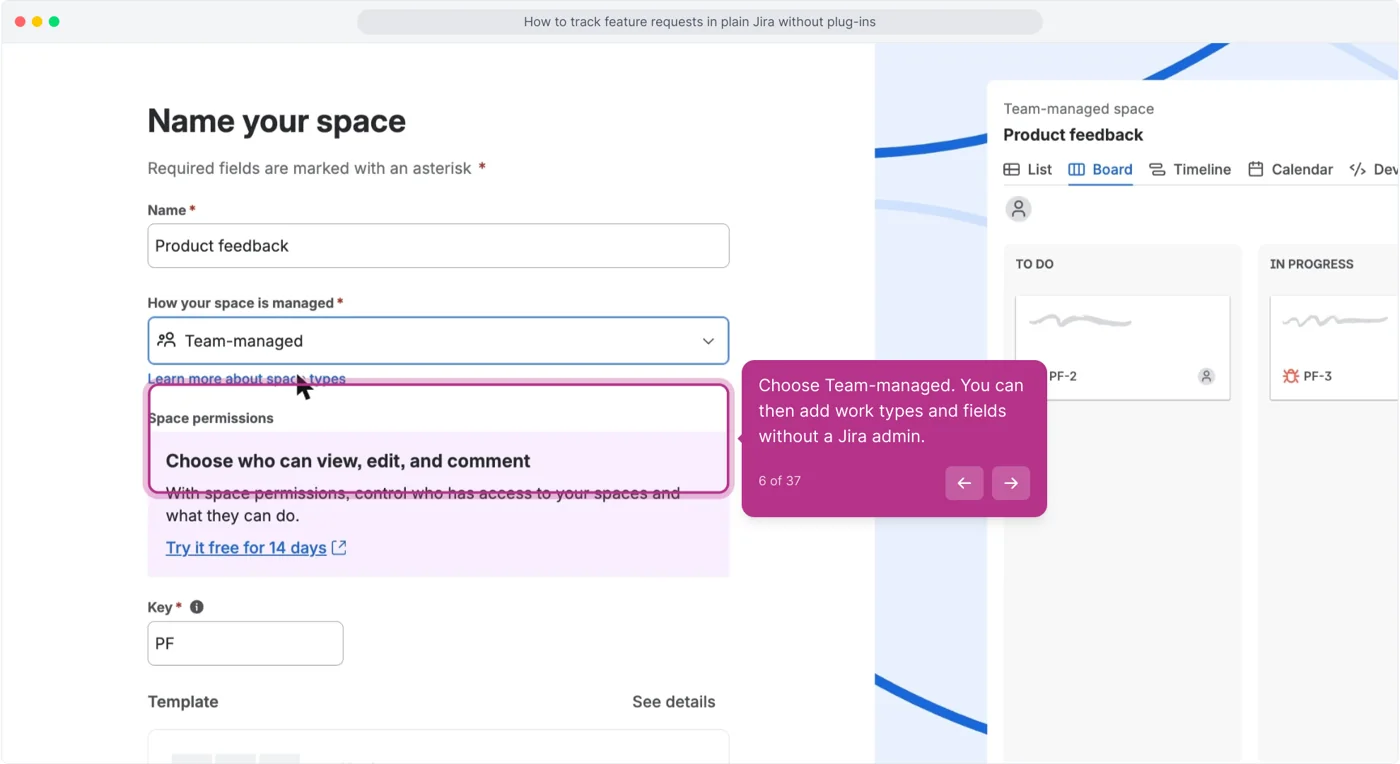
About twenty minutes on a fresh site. The space is team-managed on purpose, so one person can add work types, fields and columns without a Jira admin.
1. Create a space that is not the backlog
Click + next to Spaces in the left sidebar and pick the Kanban template.
Click Use template.
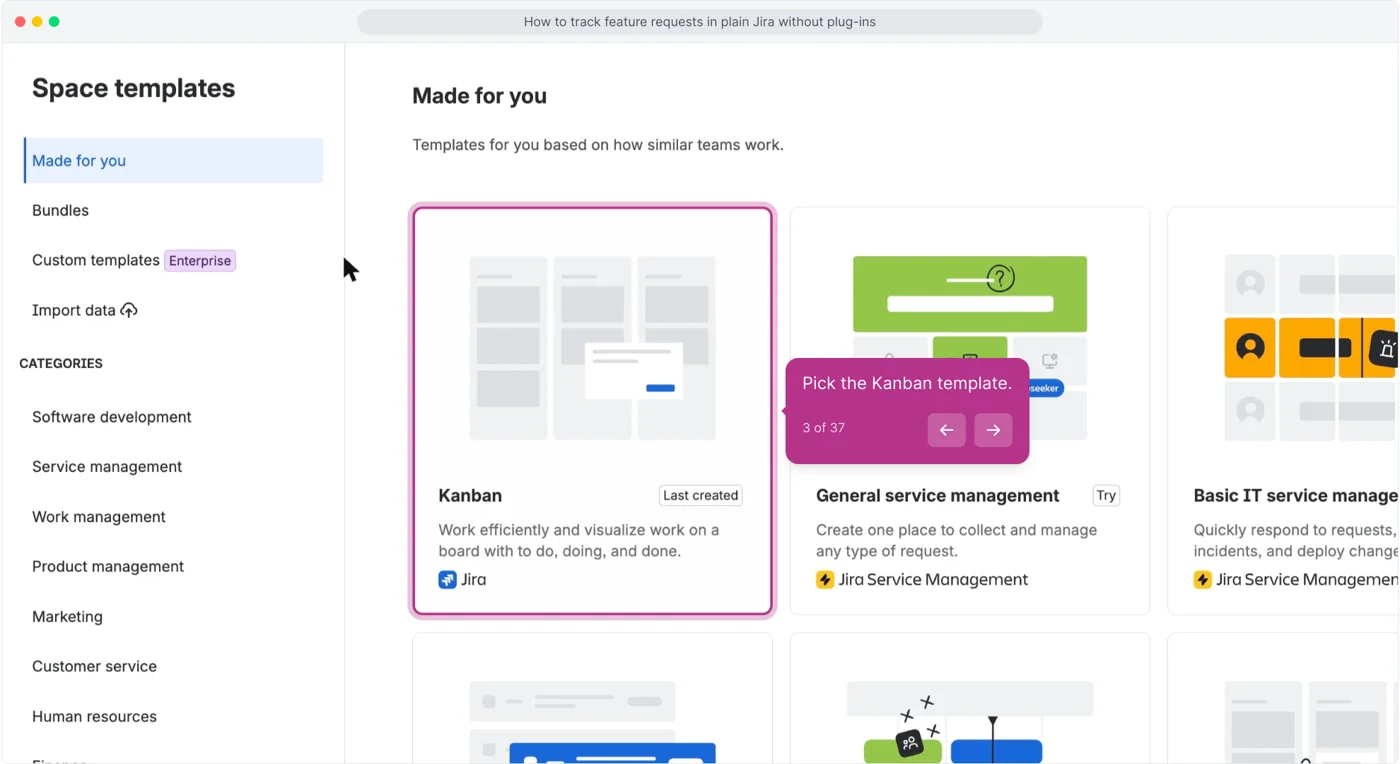
Name the space Feature Requests or Product feedback and choose Team-managed.
Never Backlog, never Ideas Q3. Leave sample work items off on the next screen.
2. Give requests their own work type
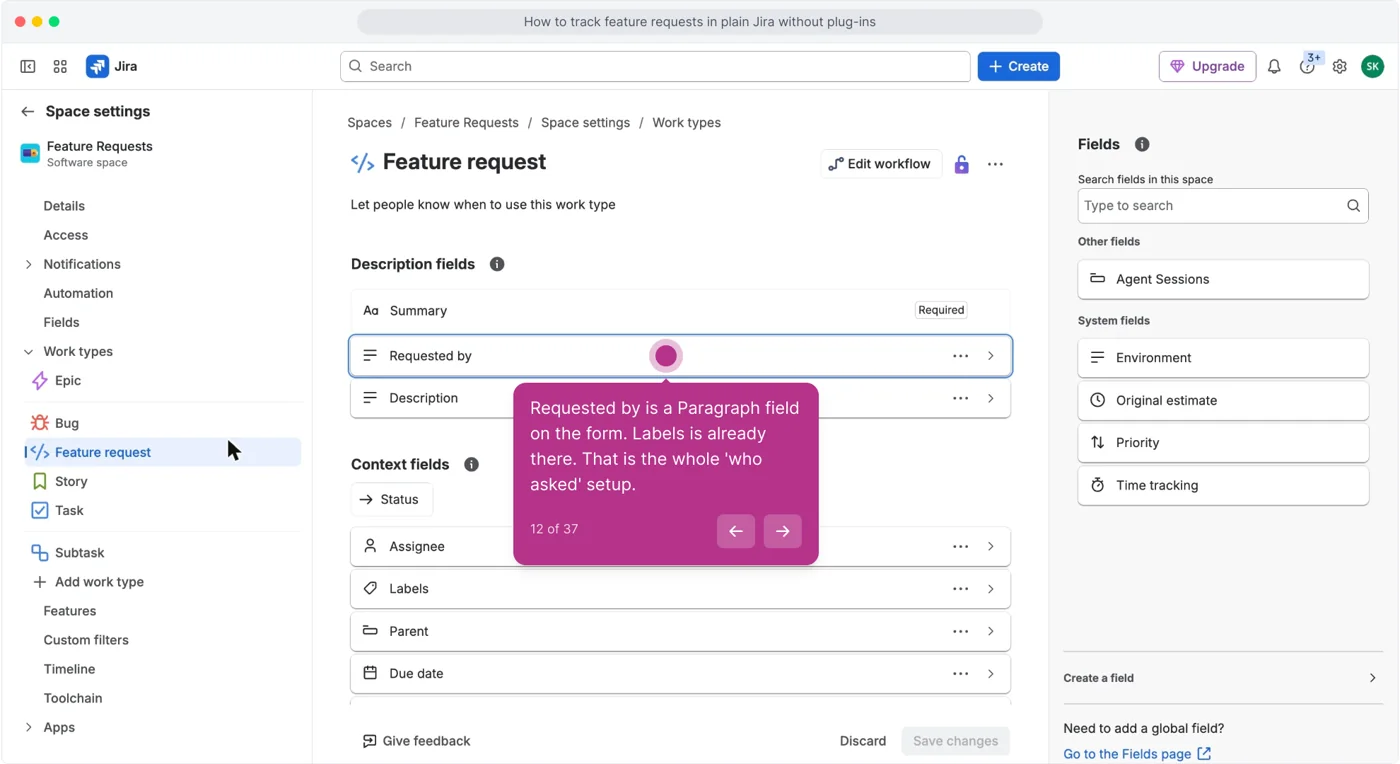
Open Space settings, then Work types, click Add work type and name it Feature request.
Keep Bug as it is; the point is that the two are different things.
In the Fields panel on the right click Create a field, choose Paragraph, name it Requested by, and click Save changes.
Labels is already on the form.
3. Set the columns
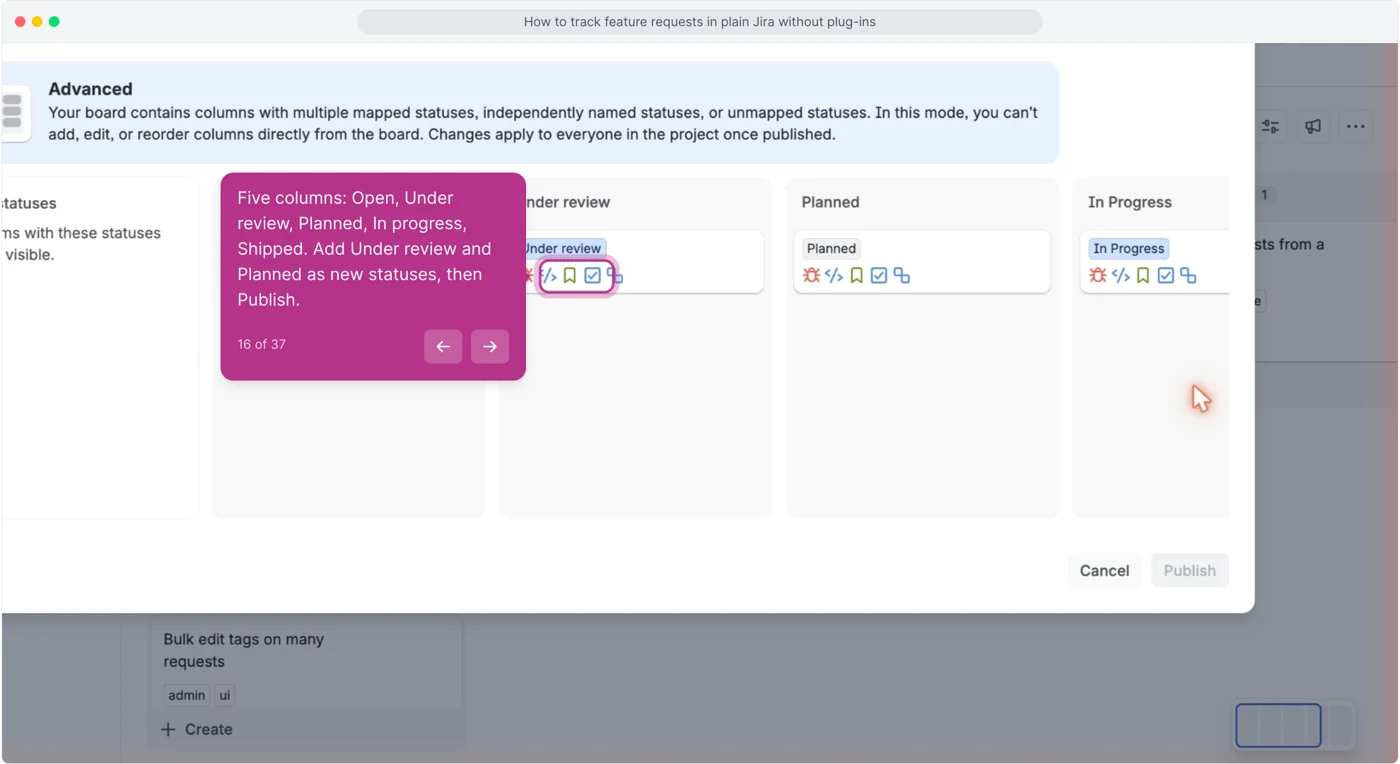
On the board, click More actions (the three dots at the right of the toolbar) and choose Configure columns.
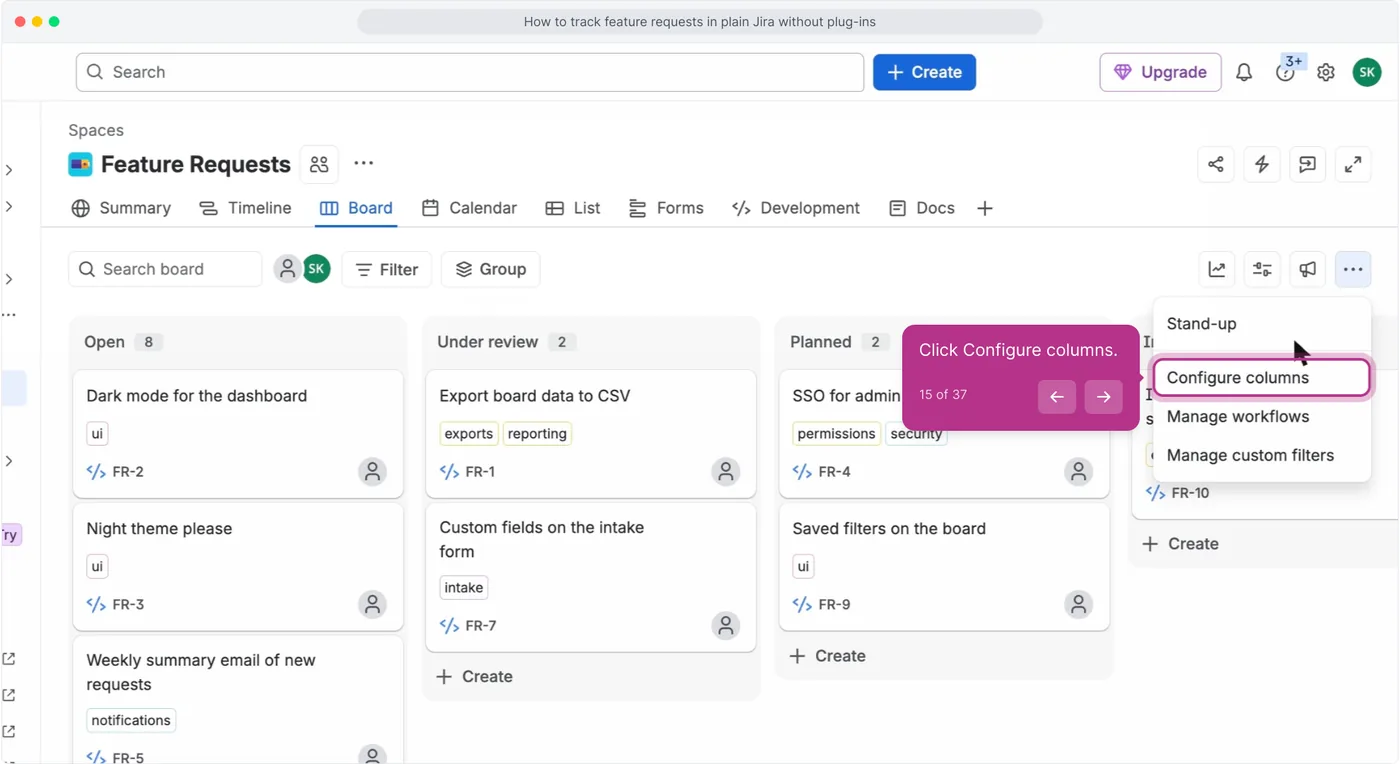
Map five columns: Open, Under review, Planned, In progress, Shipped.
On a fresh space the dialog lets you rename To Do to Open and Done to Shipped, add Under review and Planned as new statuses, and Publish.
If it opens in Advanced mode, as it did here, the banner says columns cannot be added or reordered from the board: create the statuses under Manage workflows first, and Configure columns only maps them.
4. Log the first request
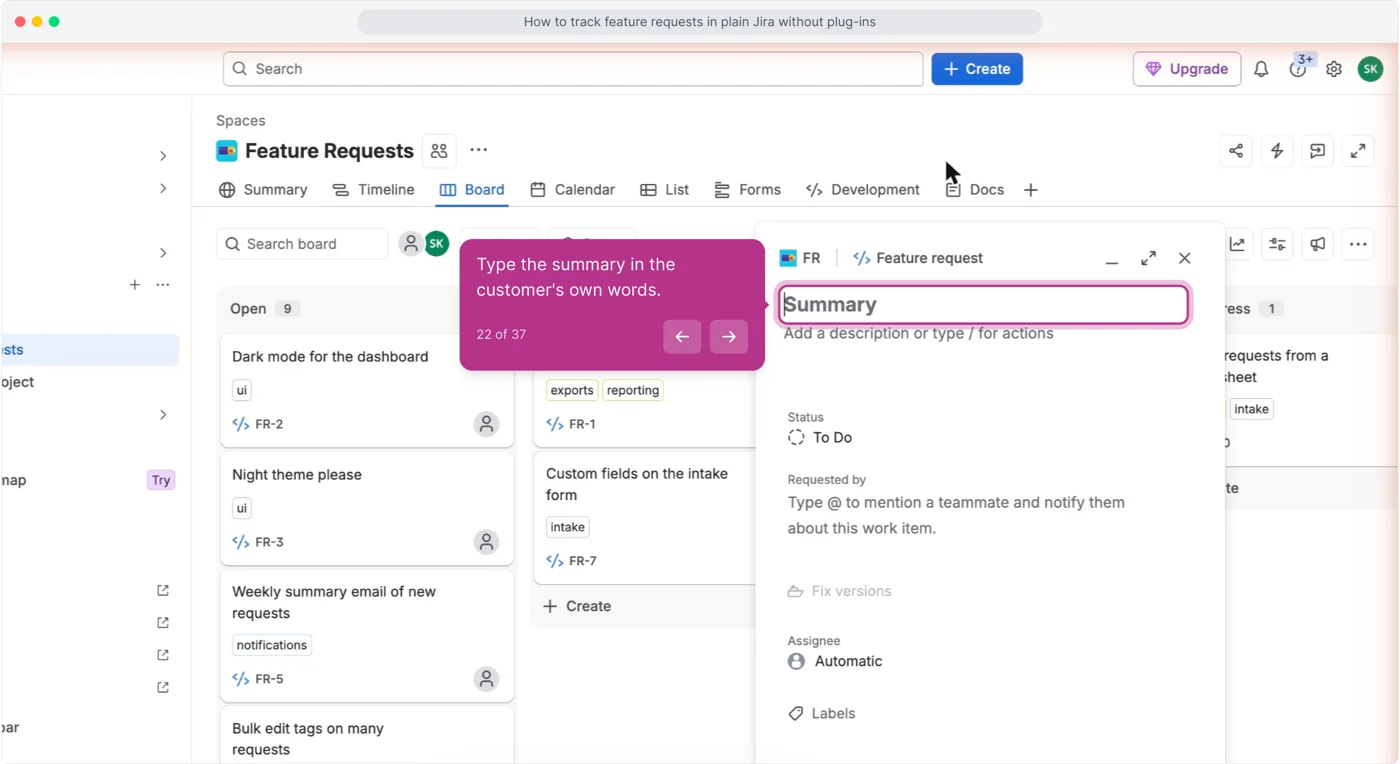
Click Create, switch the work type chip to Feature request, and fill Summary, Requested by and Labels.
Put the customer's exact words in Summary, company names in Requested by, and two labels: one for the product area, one for the kind of request. Click the expand icon if you want the full form.
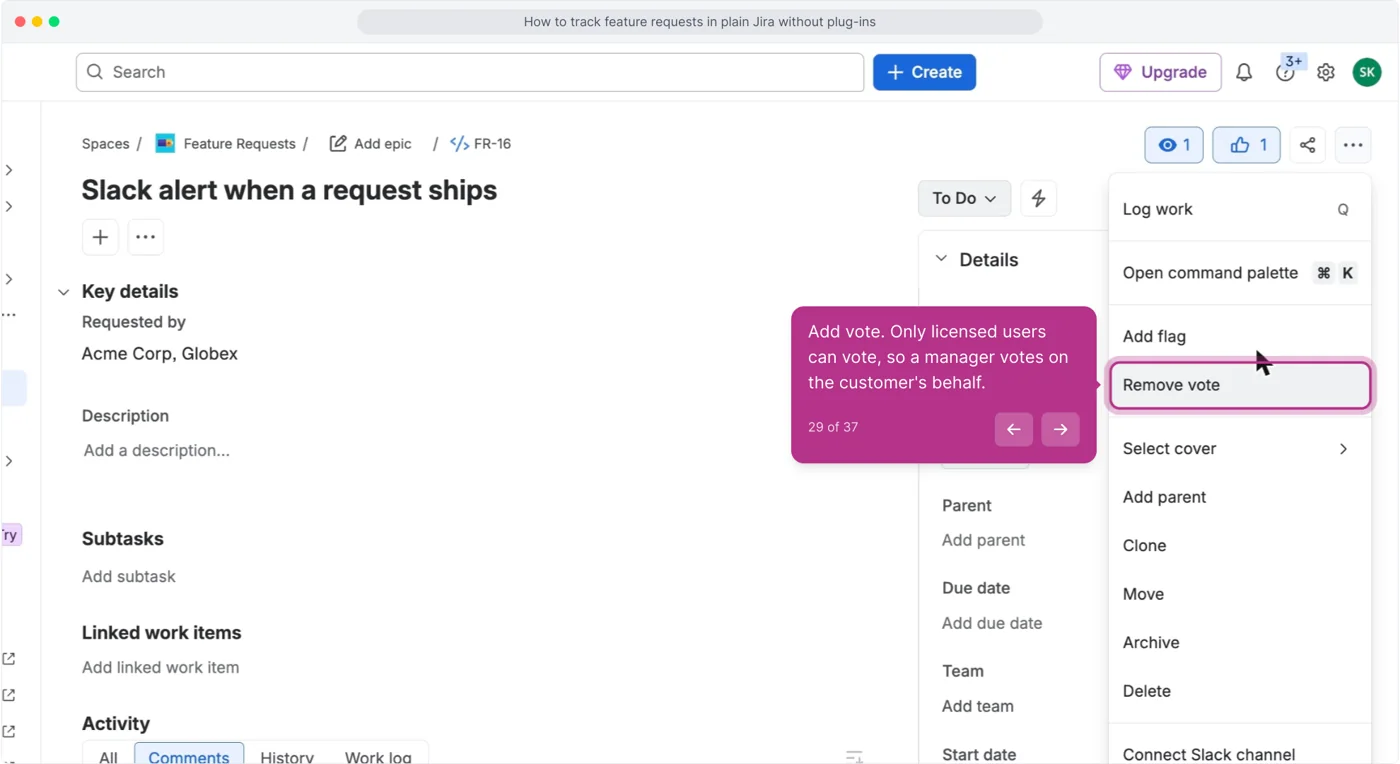
Open the request, click Actions (the three dots) and choose Add vote.
Add requests one at a time, not from a spreadsheet import: a request added by hand is a request someone looked at.
5. Find a request again
Open Filters, then All work items, switch to JQL and search project = FR AND labels = ui.
If a four-month-old request does not come back in five seconds, the labels are wrong, not the tool.
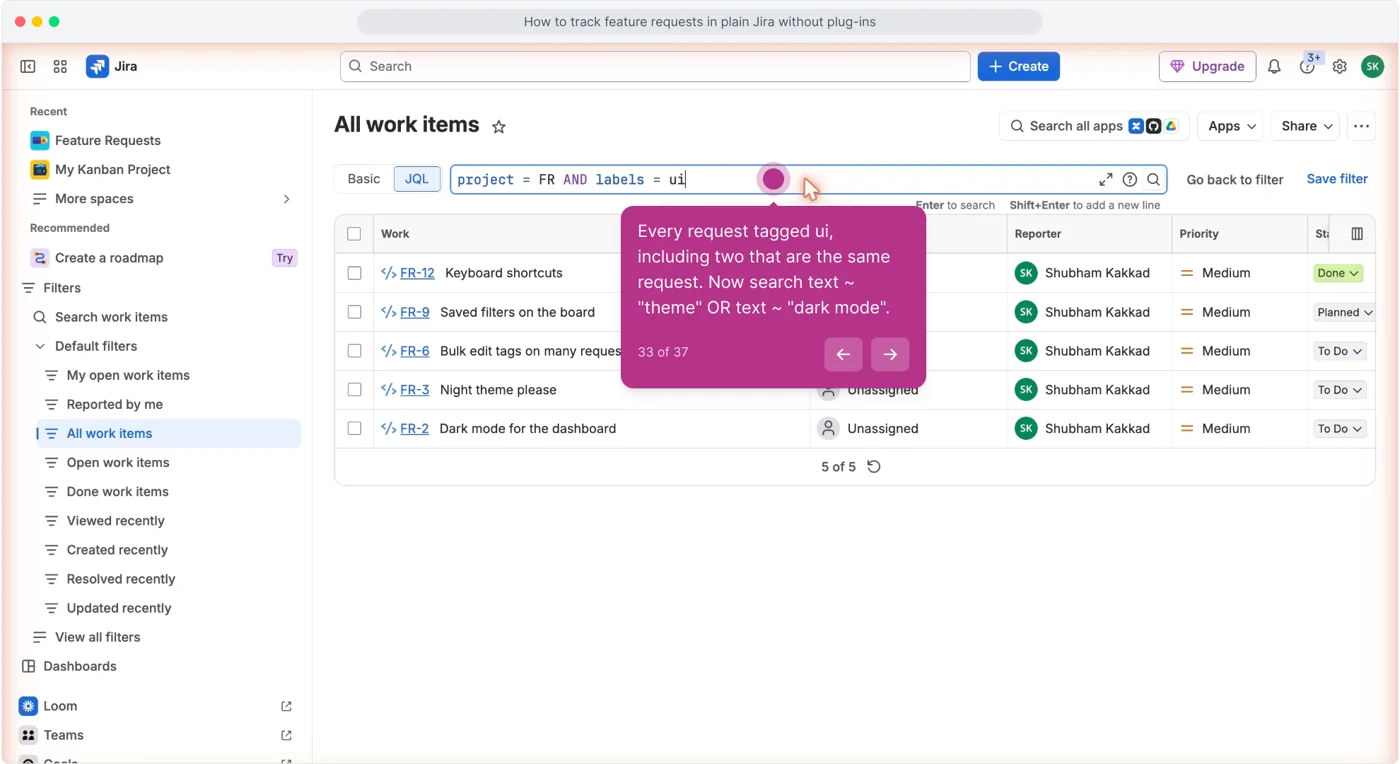
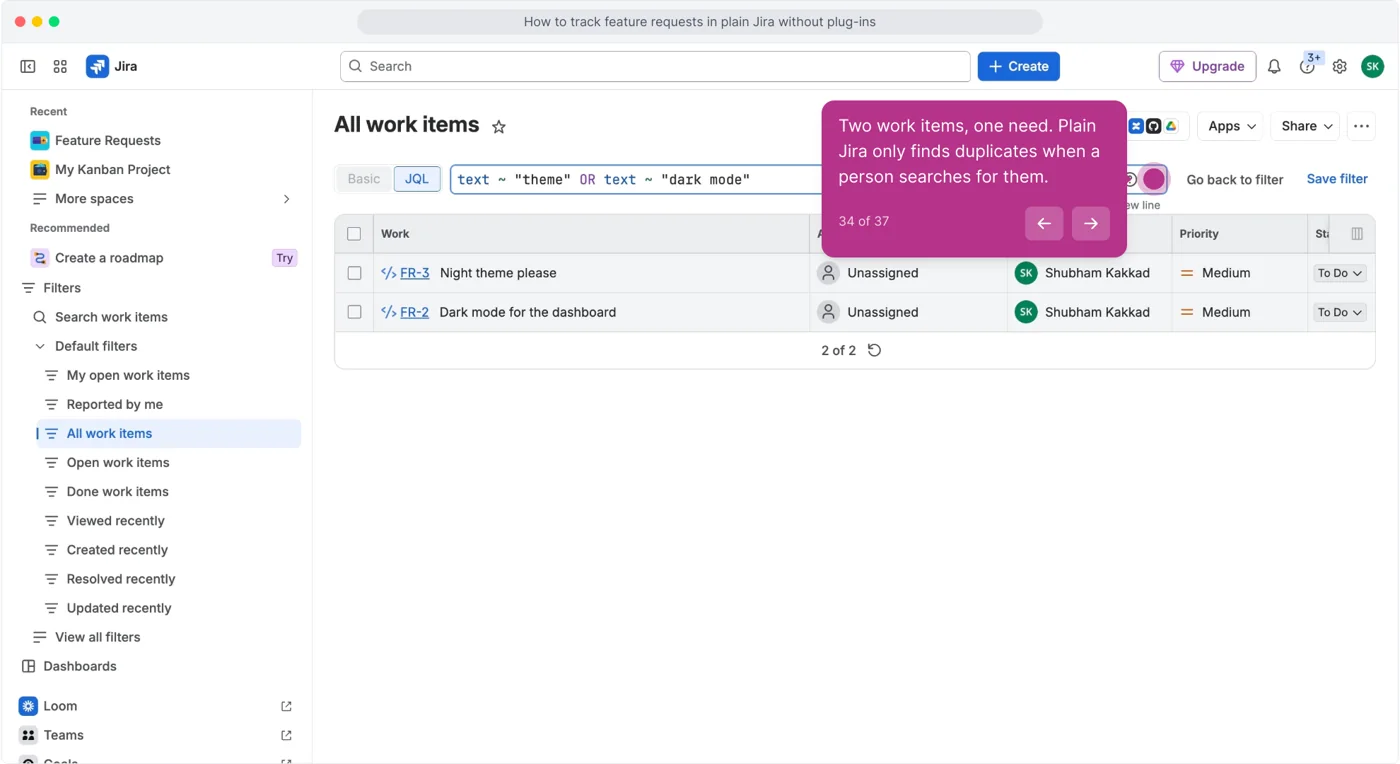
Search text ~ "theme" OR text ~ "dark mode" to find duplicates.
Two work items come back for the same need. Plain Jira does not check for this when a request is created; link them with Add linked work item and keep the older one.
What plain Jira still cannot do
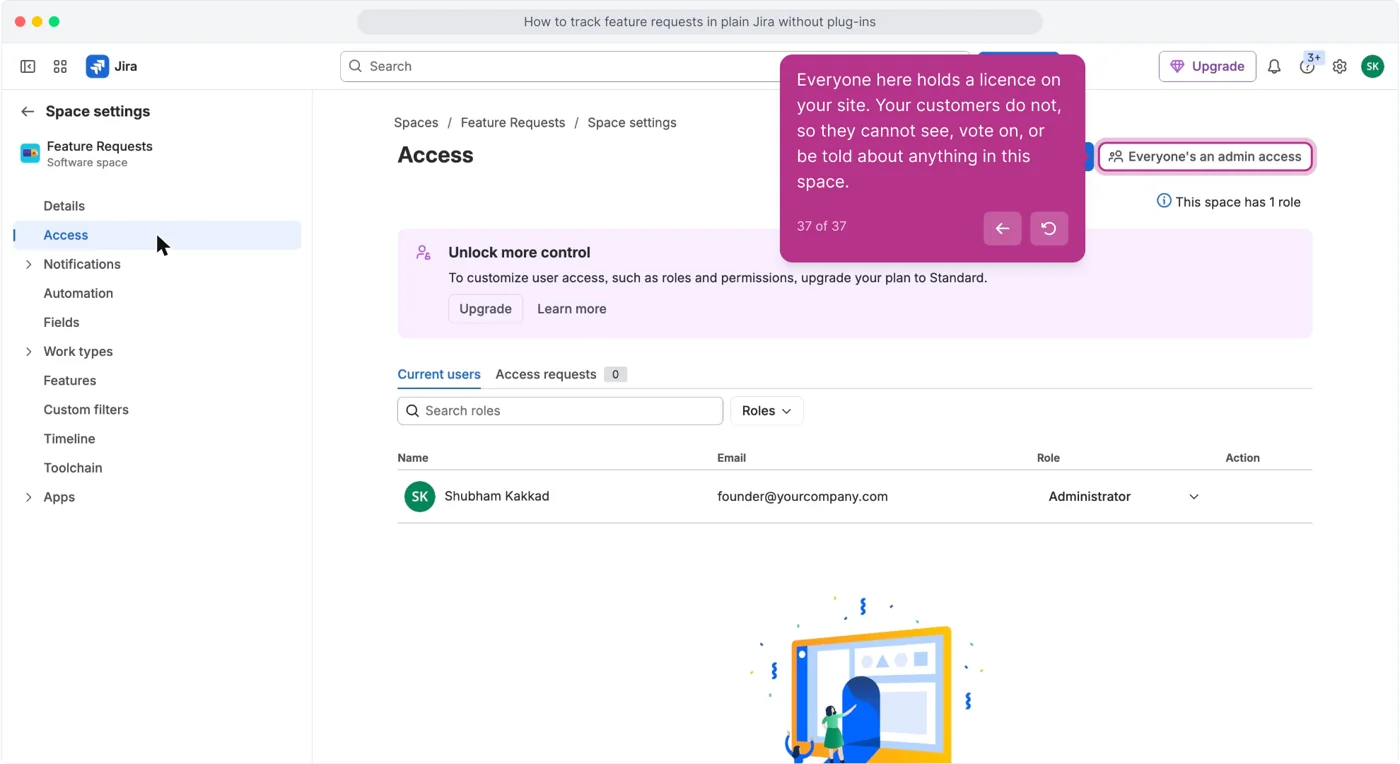
- Customers cannot see it. Space settings, then Access, lists licensed users only. A 2018 thread with 13,000 views asked for customers to see and vote on requests; the accepted answer needs a scripting add-on (Atlassian Community).
- Customers cannot vote. Votes come from licensed users, so a manager votes on the customer's behalf. Jira Product Discovery does not close the gap either: as of 2025, customer upvotes are "not supported yet" (Atlassian Community).
- Customers cannot be told when it ships. Requested by holds names, not accounts. Atlassian's 2023 answer: customers "aren't considered users because they're not licensed" (Atlassian Community).
Keep it, or stop here
- Keep it if every request comes from someone with a seat on your site, you have a few dozen requests, and one person owns the board. The setup above is complete for that case and costs nothing.
- Stop here the first time a customer asks "did you ever do that thing I asked for" and nobody can answer, or the first time you want customers to vote for themselves. Then Jira is where the engineering work lives and something in front of it is the intake.
The alternative, and what it does not do
sarvaFeed is the intake in front of Jira: a public board customers read and vote on without a seat, duplicate detection when a request is created, the same Open to Shipped ladder, and a changelog entry that emails the people who voted.
The free plan is one admin seat, one board, 500 posts and unlimited voters (pricing). What it does not do: there is no Jira sync.
When a request is planned you create the Jira work item by hand and paste the board link into it. See feature request management.
Questions people ask
Can I track feature requests in Jira without a plug-in?
Yes. A separate team-managed space, a Feature request work type, a Requested by text field, labels and a five-column board, as shown above.
Can customers submit or vote on feature requests in Jira without an account?
Not in a Jira Software space. A Jira Service Management portal can take a form from customers and email them about their own ticket, and Jira Product Discovery can publish a read-only view, but neither lets a customer vote on a feature request.
How do I stop duplicate feature requests in Jira?
Search before you file. Plain Jira has no duplicate detection at create time; the only check is a person running a text search first and linking the two work items.

